Find my Application Link
Edited
Your application link allows clients to start a new application directly with you. This article shows you where to find and copy your unique application link so you can easily share it with clients.
Related Training
Step-by-Step Guide
Application Setup
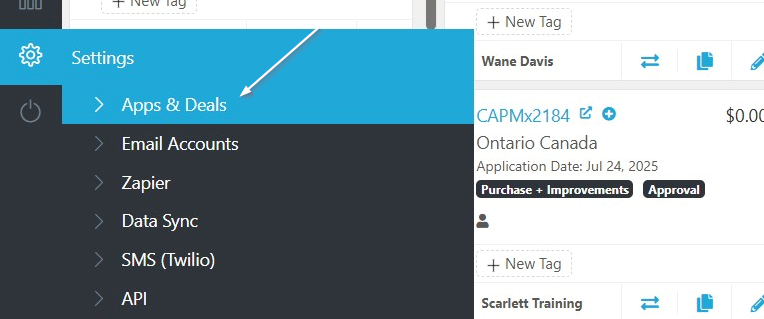
1) From the Settings Menu, click "Apps & Deals"
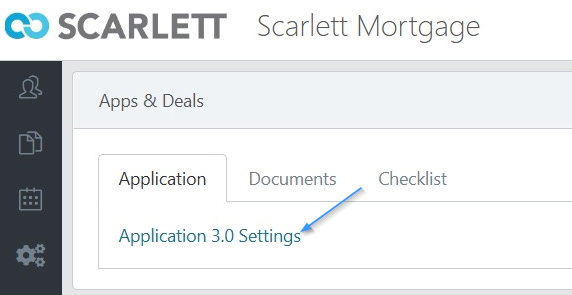
2) Click "Application 3.0 Settings"
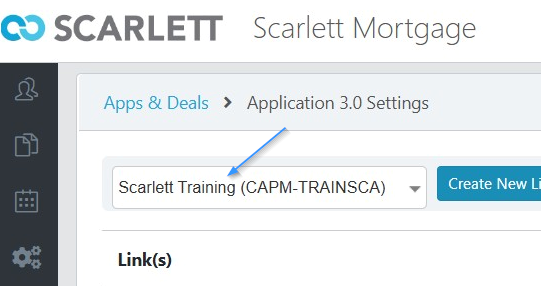
3) Make sure your name is in the dropdown
4) Under the Application Handle header you will see your Link Name. You can copy the URL here by clicking the copy button, or click "Preview" to open your application link
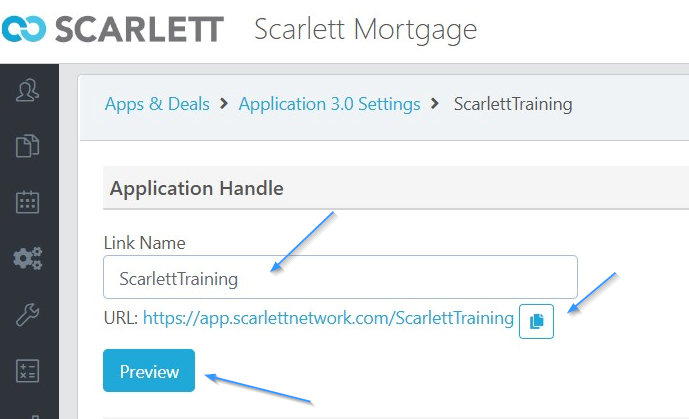
application link
app link