CRA Documents
Obtaining tax documents can be a pain point for many agents. Clients can't locate them, provide incomplete pages, are locked out of their MyCRA account, or provide T4s that don't have their name on them. To alleviate this annoyance, Scarlett is happy to offer a CRA Document retrieval service.
Related Training
Video Walkthrough
Step-by-Step Guide
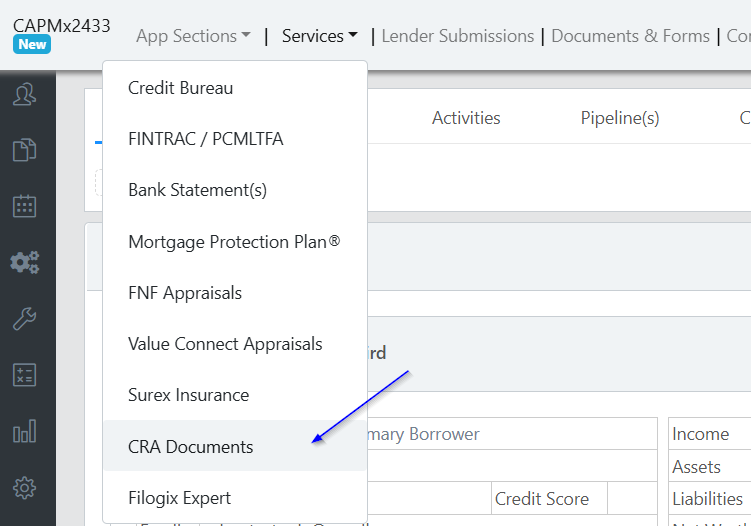
1) Under Services, click on "CRA Documents"
2) Click "+Create New Request"

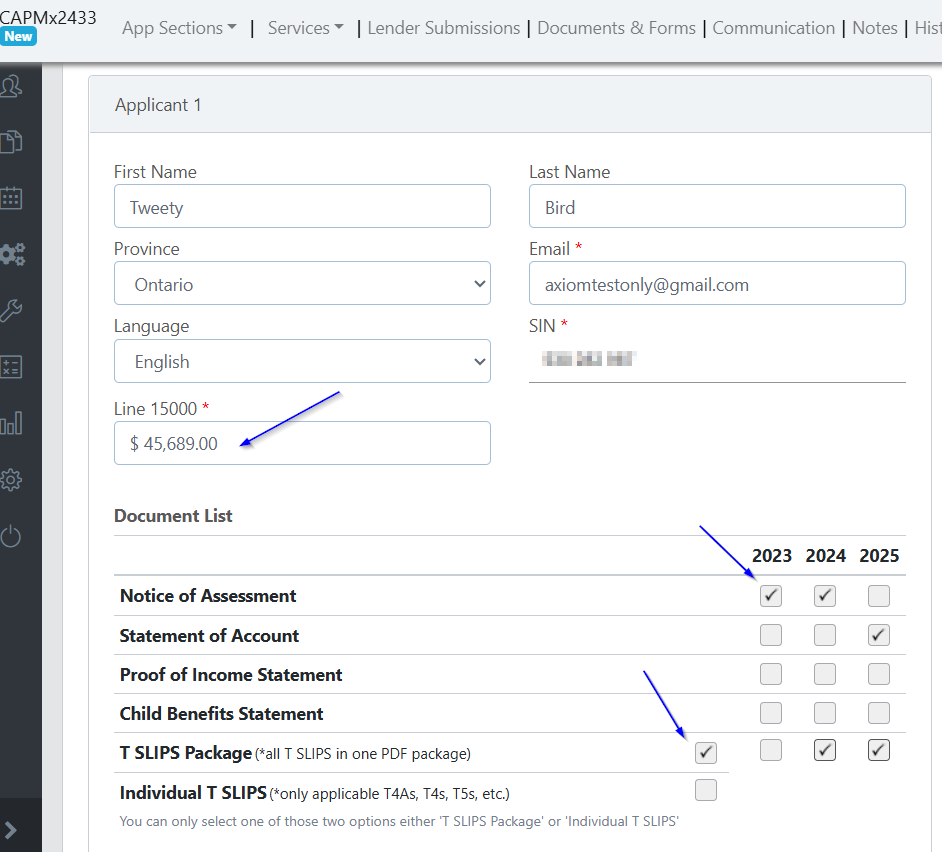
3) The client's information will pull in from the application. Enter the line 15000 value from their most recently filed personal tax return. Email, SIN, and line 15000 are mandatory.
Check off the documents that you require.
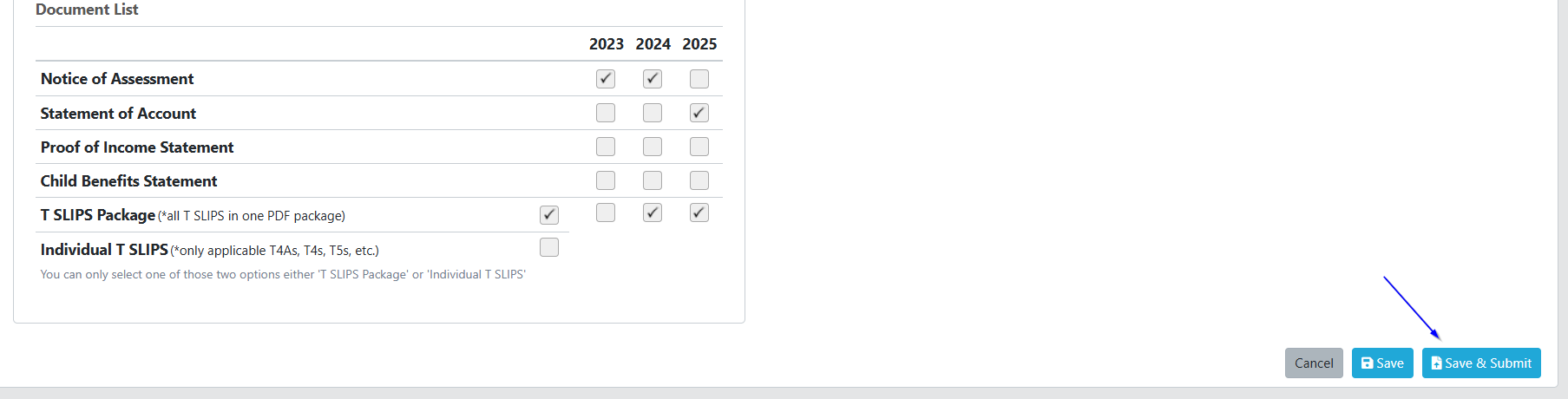
4) Click "Save" to come back later, or "Save & Submit" to send your request to support.
You will see the status of your request is "Order Requested".
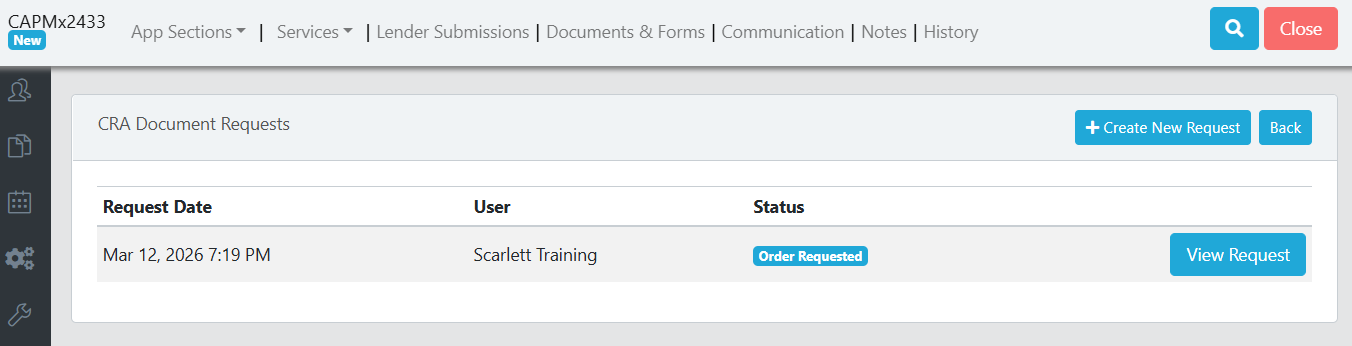
5) Scarlett Support will initiate a request with CRA to authorize access to your client's documents and will send your client the authorization form for e-signature via Docusign. When they have sent the authorization form for signature, they will email you to advise it has been sent to your client.
You will also see the status in your CRA Documents request updated to "Awaiting Client Signature".
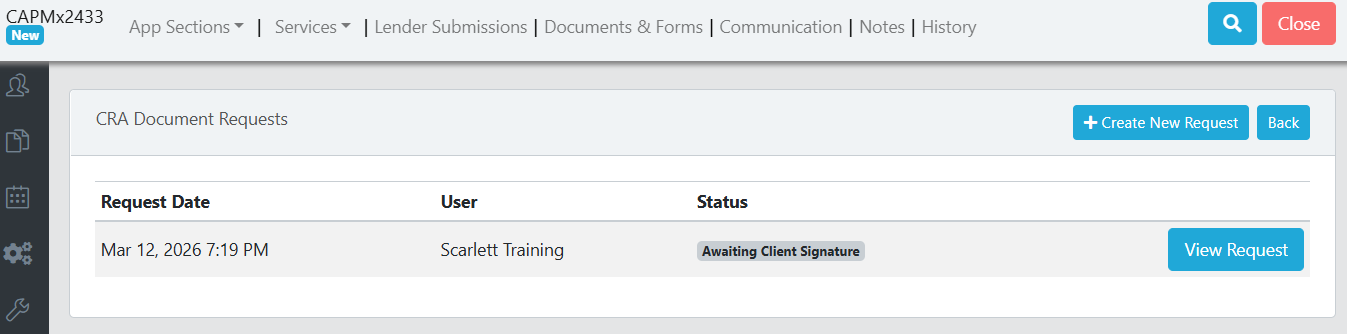
6) When you client signs the authorization you will receive an automated email from Scarlett to advise that the Docusign has been completed and the support team is working on retrieving the requested documents.
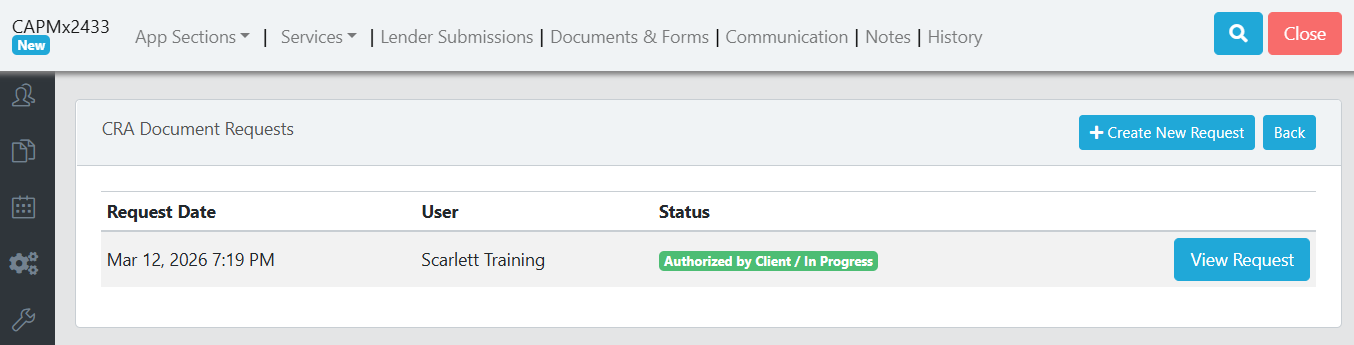
You will also see the CRA Documents request status updated to "Authorized by Client / In Progress".
7) When Scarlett Support has retrieved the requested documents from CRA, they will put them within the CRA Documents folder inside the Documents & Forms section of your deal.
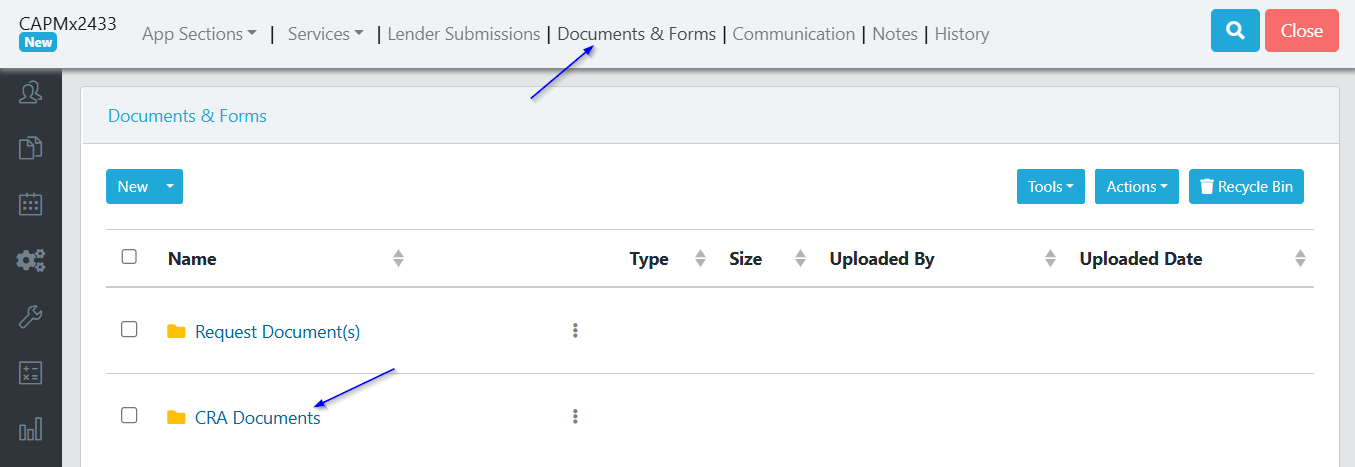
8) When all requested documents for all clients have been uploaded to your deal, you will receive an email from Scarlett to advise that the request has been completed.
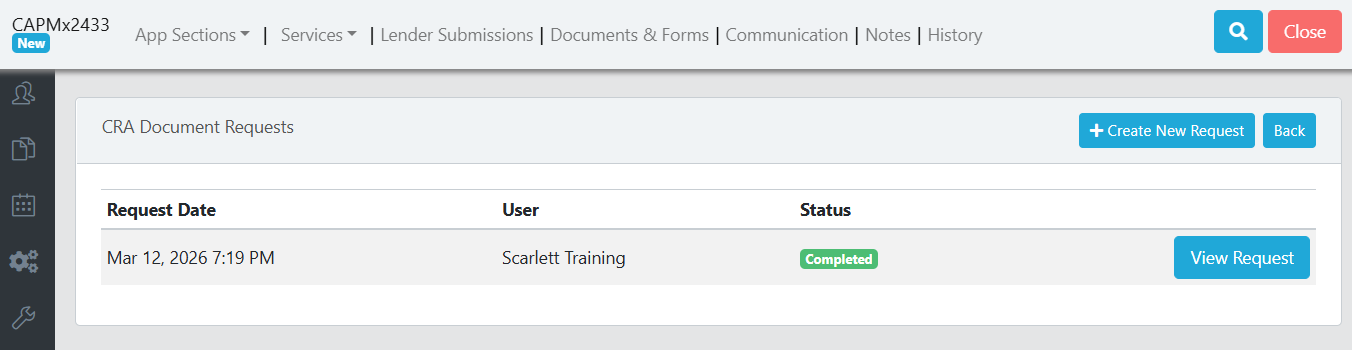
You will also see the CRA Document request status updated to "Completed".
FAQ
What is the turn time for documents?
Scarlett Support aims to have the documents back within 24 hours (weekends excluded). If your client delays signing the authorization form, this will affect the expected turn time.
What happens if my client doesn't sign the authorization form?
Scarlett Support will follow up with you 3 times to let you know if your client has not yet signed the form. If your client does not sign by the 4th day, support will cancel the request.
Can the authorization form or email mention me, or the brokerage name?
No. Since this is a process that Scarlett is authorized by CRA to complete, the communication and authorization form must be for Scarlett/Axiom.
What company is named on the communication to my client?
The Docusign will come from Scarlett Mortgage, and the authorization form will list Axiom Innovations.
How long is my client's authorization good for?
The CRA authorization is good for 3 months from the date of request, after which it will expire with both Scarlett and CRA. If additional documents are needed after this date, a new authorization form will need to be signed.